Singularity Stream Kit — Cosmic OBS Screens
A downloadable tool
Galaxy intermission screens for space and sci-fi streamers.
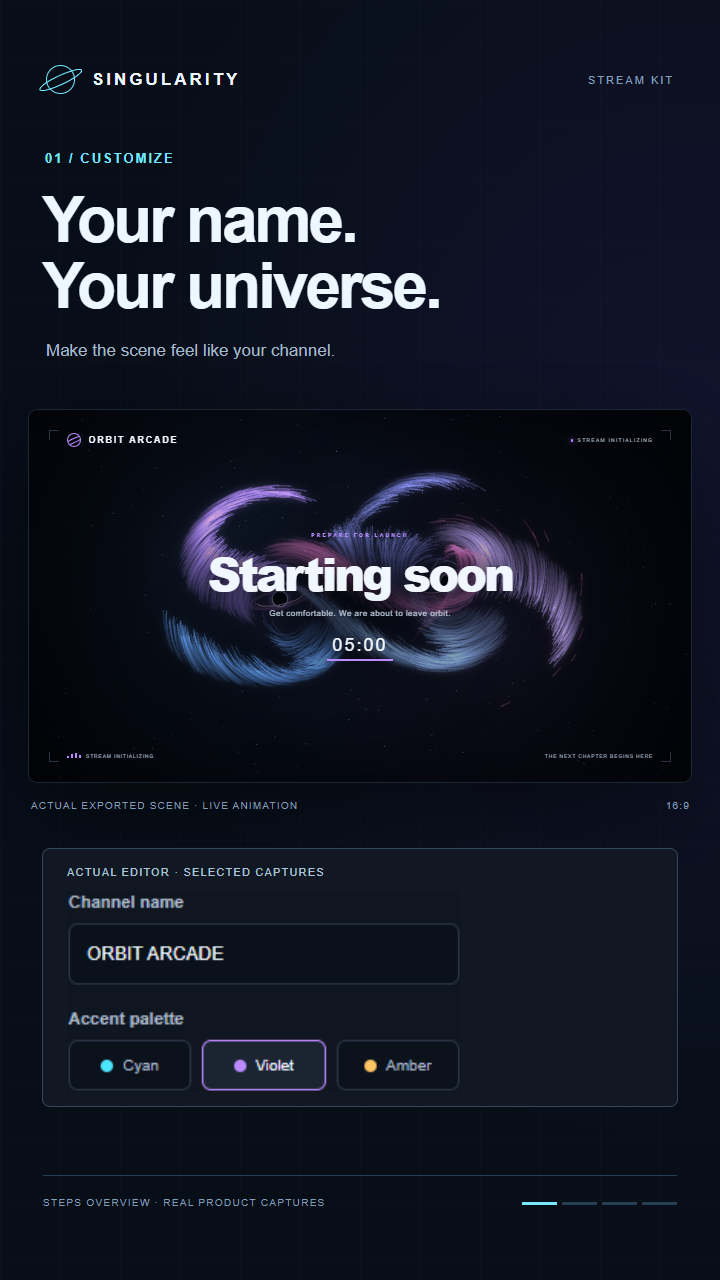
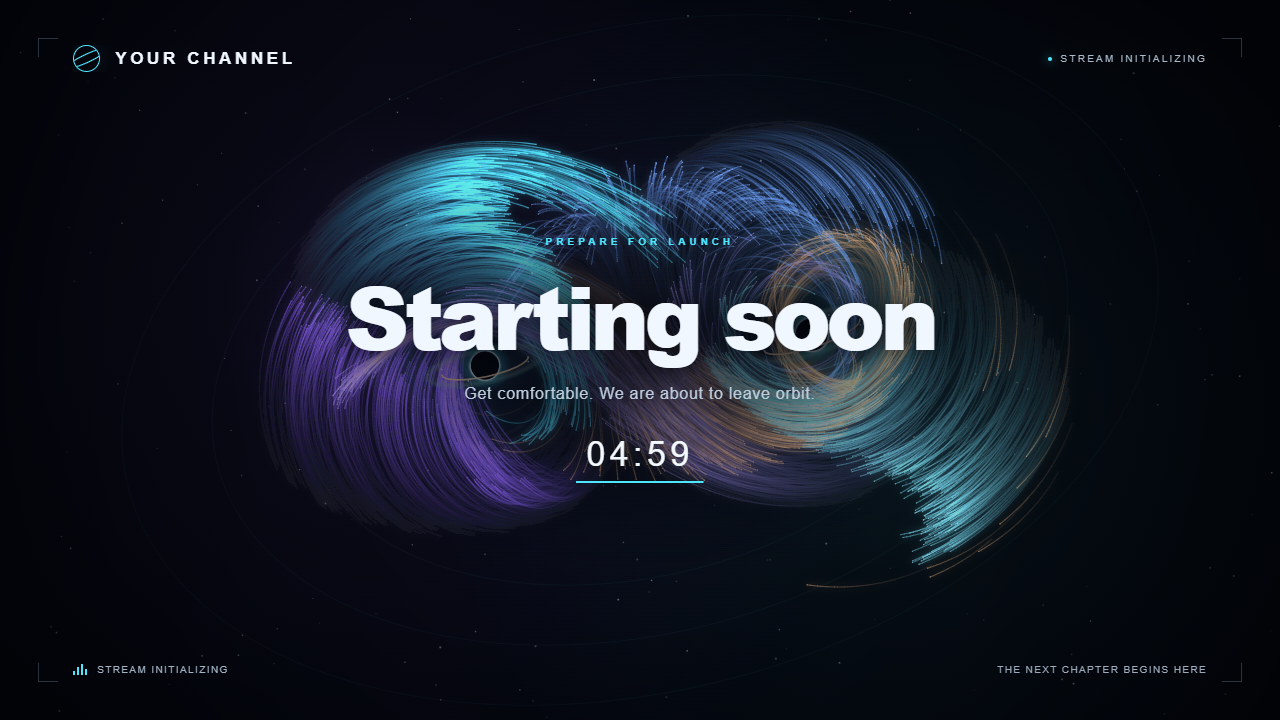
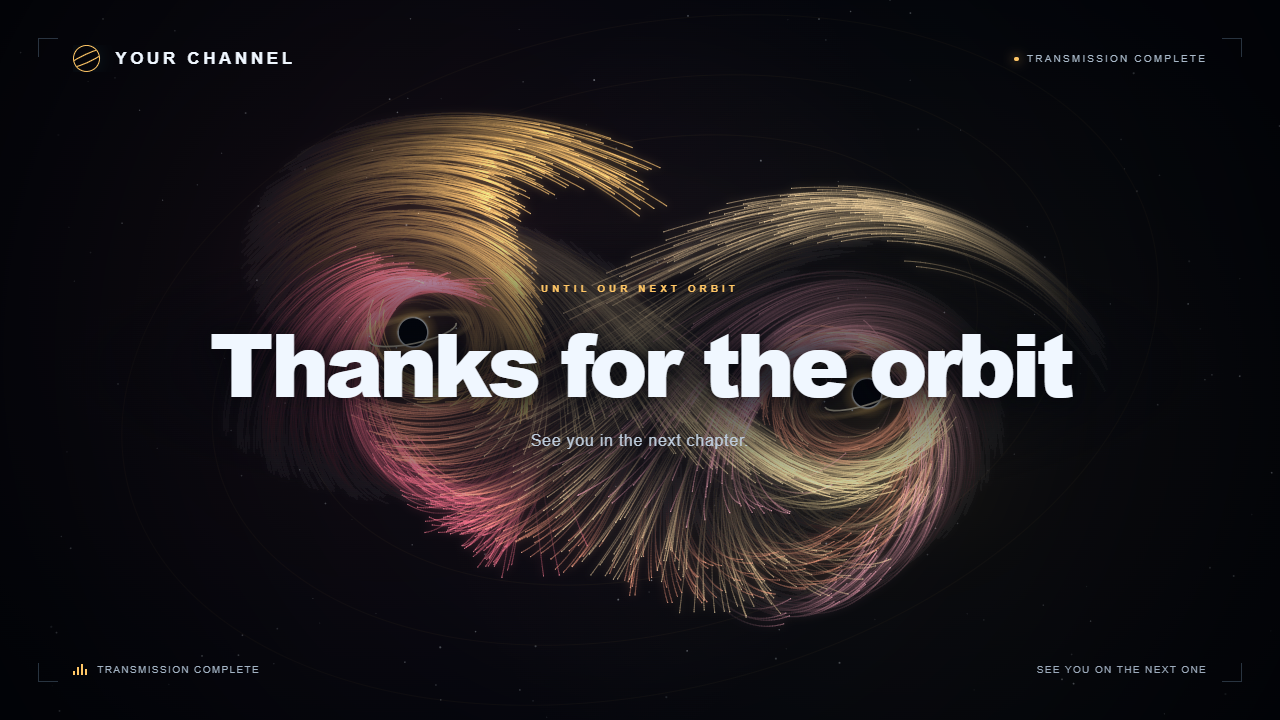
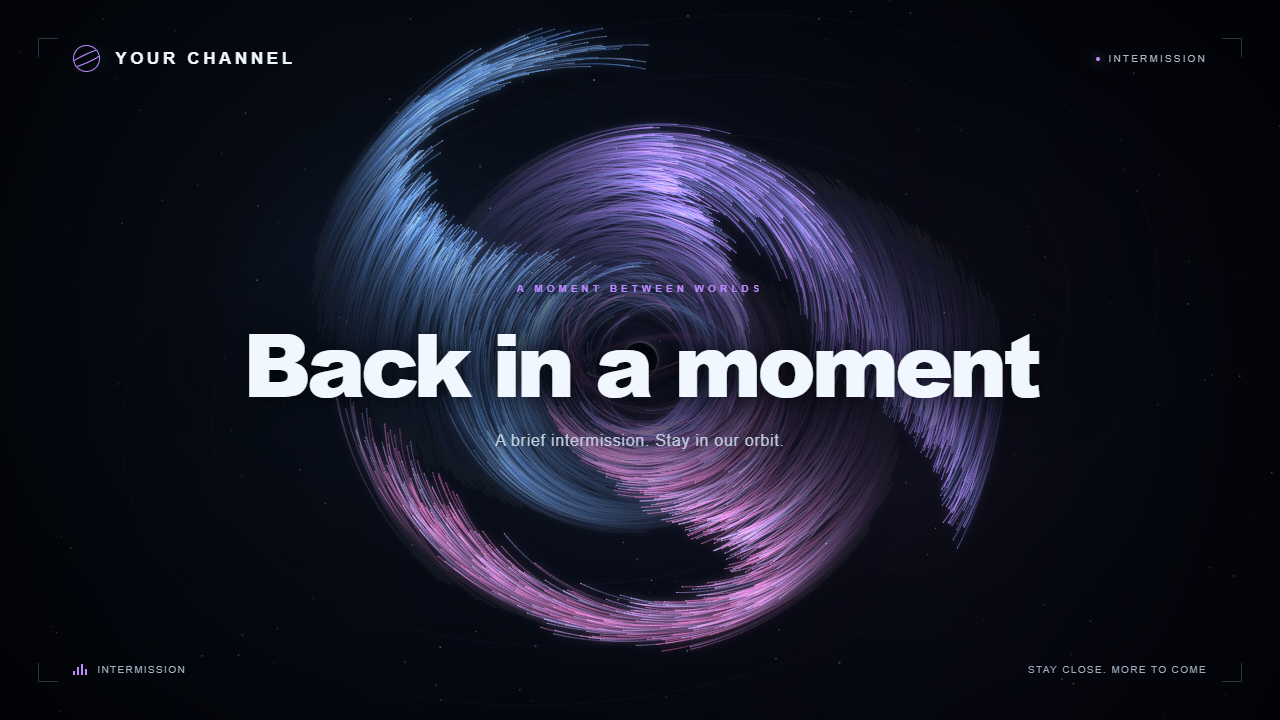
Keep your channel's space theme on screen before the broadcast, during breaks and at sign-off. Personalize a matching Starting Soon, Be Right Back and Stream Ending set with your channel name, colors and optional logo. The included offline editor exports each animated scene as a self-contained HTML file for OBS.
US$29 once. No subscription. The kit runs locally after download, without a runtime account, API key or internet connection.
Try a free screen in OBS
Download the free Starting Soon sample below and try it in your own setup before buying. It includes one ready-to-use cyan galaxy screen with a five-minute countdown, setup instructions and permission to use it on your own monetized channels.
The sample has fixed generic text and no editor or logo controls. The US$29 full kit adds the offline customizer, your channel branding, all three scene types, multiple galaxy styles and configurable countdowns. The upgrade is optional.
Tried the free sample? If you'd like, leave a comment with what you stream, whether you used the screen in OBS, and what would make the full kit worth paying for. Would matching BRB and Ending screens or your own name and logo help your setup?
What you get in the full kit
- Three message scenes: Starting Soon, Be Right Back and Stream Ending.
- Three galaxy formations and three color palettes.
- Editable headline, supporting line and channel name; upload your own logo.
- Optional countdown up to 180 minutes and Low, Medium or High quality settings.
- A local editor that exports one self-contained HTML file per scene, including its settings and uploaded logo.
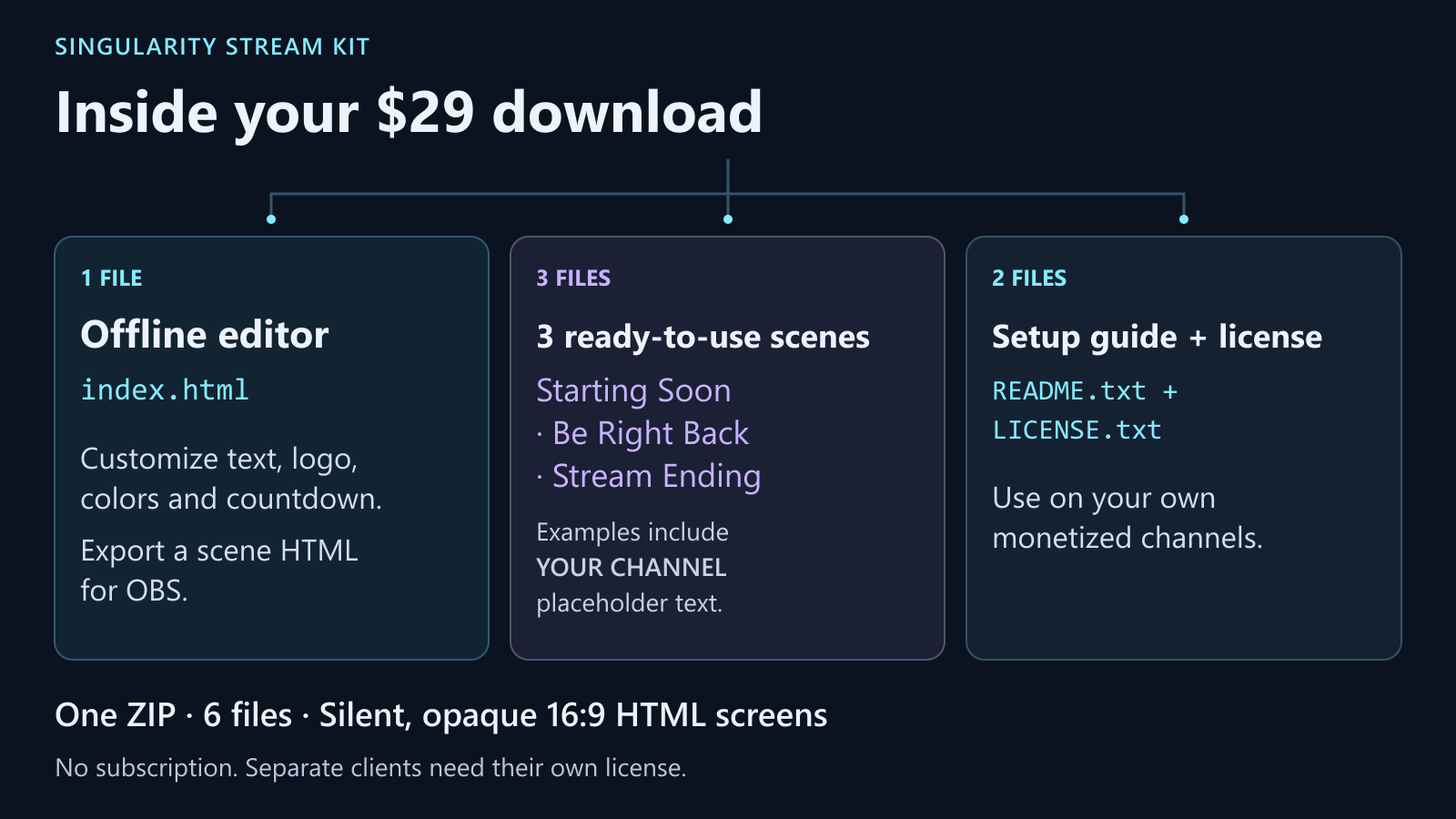
- Three preconfigured examples with YOUR CHANNEL, plus setup instructions and the commercial-use license.
Make it yours
- Extract the ZIP and open Singularity-Stream-Kit/index.html in a recent desktop browser.
- Customize your screen and select Download scene. Keep the exported HTML in a permanent folder.
- In OBS, add a Browser source, enable Local file, select that exported scene and set 1920 × 1080.
Explore the interactive preview before buying.
Requirements and scope
Use a recent desktop Chrome, Edge or Firefox browser for the editor, and OBS with Browser Source support for broadcasting. Local preview, export and countdown behavior were verified in Edge. The three examples and a customized export rendered in OBS Studio 32.2.2 on Windows at 1920 × 1080. These were local source checks; performance depends on your computer and streaming workload.
The product is silent, opaque, full-frame 16:9 animation. It is not a transparent overlay or video exporter. Audio, alerts, chat integration, automatic scene switching, live AI and hosting are not included. The countdown stays at 00:00; it does not start your broadcast. Reloading the source restarts the countdown.
Commercial use
One purchase covers the purchasing individual or organization's own channels, including monetized streams, videos and promotional clips. Attribution is optional. Private backups and code changes for your own licensed use are allowed. A contractor may receive files privately only to help operate your channels, without retaining or reusing them for other projects.
Do not resell, sublicense, give away, publicly host or redistribute the kit, its source or exported HTML files, including modified versions. The license is non-transferable; separate clients need their own license. Rendered videos, screenshots and broadcasts may be shared. Use only branding and other materials you own or have permission to use; no third-party brand, music or artwork rights are included.
The included LICENSE.txt contains the full terms. Hosting, customization services, ongoing updates, service-level commitments and guaranteed performance or business results are not part of this purchase. Applicable consumer rights and storefront purchase terms remain unaffected.
Setup FAQ
What do I download? A ZIP with the offline HTML editor, three preconfigured examples, setup instructions and license. It is not an installer or a video pack.
Do I need to write code? The included editor provides the text, palette, galaxy, logo and countdown controls. Export the result with Download scene.
Why does OBS show old text or colors? OBS reads the exported file. Export again after editing, update the source's path if it changed, then refresh it.
Why is the source blank? Select the exported HTML, not the ZIP or editor. First open that file in a recent desktop browser. If it works there, check OBS Browser Source support, hardware acceleration and version/settings.
Why is my logo missing? Use a valid PNG, JPG, WebP or GIF smaller than 2 MB, then export a fresh scene. The logo is embedded in that exported file.
How do I restart the countdown? Refresh the Browser Source. To reset it on scene activation, enable Refresh browser when scene becomes active. At 00:00 it remains there; switch scenes manually.
Can I move the HTML file? Yes; update OBS's Local file path afterwards. Keep exported files because browser storage is best effort.
What if the animation is too demanding? Start at Medium and try Low. Performance varies with your computer, browser and streaming workload. Check your full setup before broadcasting.
AI disclosure
Developed with substantial AI coding assistance using Codex. The galaxy animation is drawn by the kit's code; the downloaded product does not use a live AI service.
Support and 30-day money-back guarantee
For setup help, leave a comment on this page. Please keep receipts and other private information out of public comments.
Singularity offers a 30-day money-back guarantee. We authorize a full refund for requests made within 30 days of purchase. To request yours, email support@itch.io with your purchase information and mention this Singularity guarantee. itch.io reviews and processes refunds; payment-processing times vary. This promise does not limit your statutory rights.
Purchase
In order to download this tool you must purchase it at or above the minimum price of $29 USD. You will get access to the following files:
Download demo
Development log
Leave a comment
Log in with itch.io to leave a comment.